
Digital Reporting
Capture anything, anywhere.
A configurable reporting engine that adapts to your business, for incidents, audits, near-misses, quality issues, ESG events and risk assessments.
In the field
Reporting your people will actually use
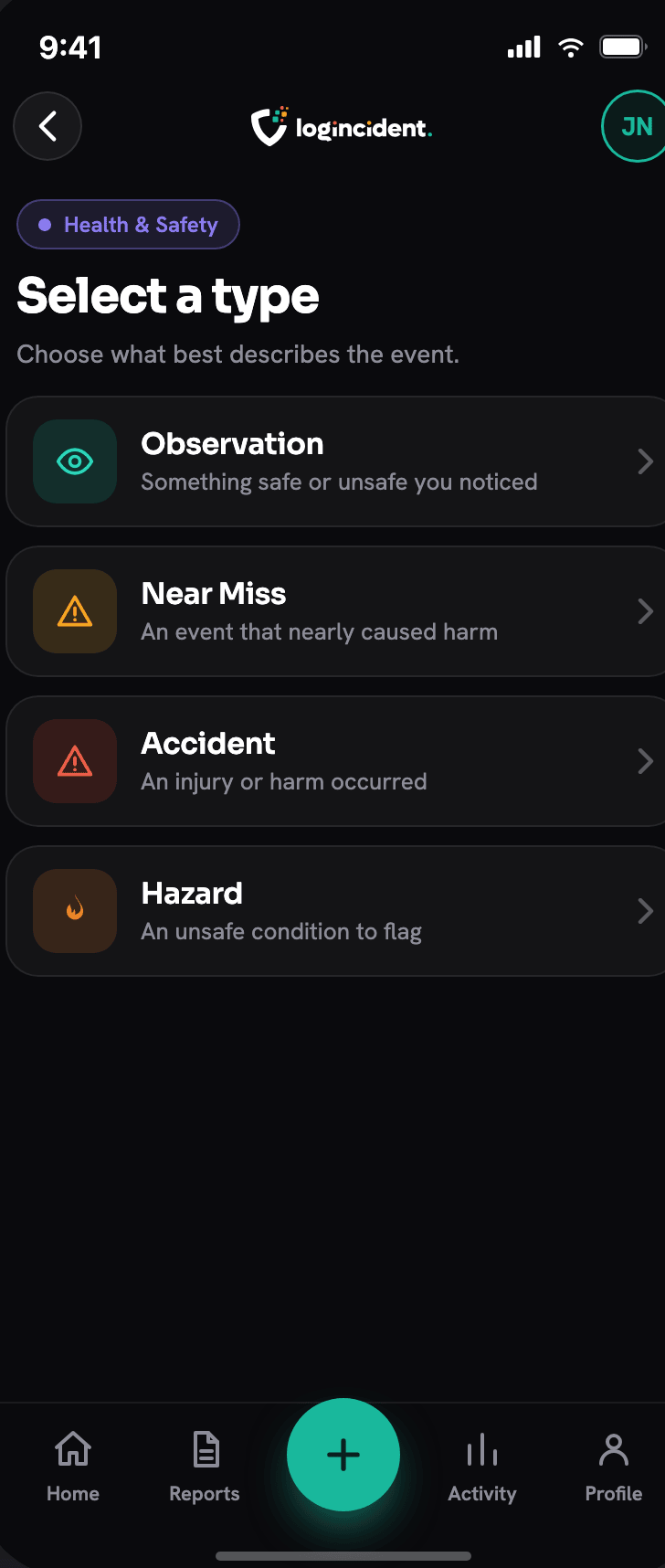
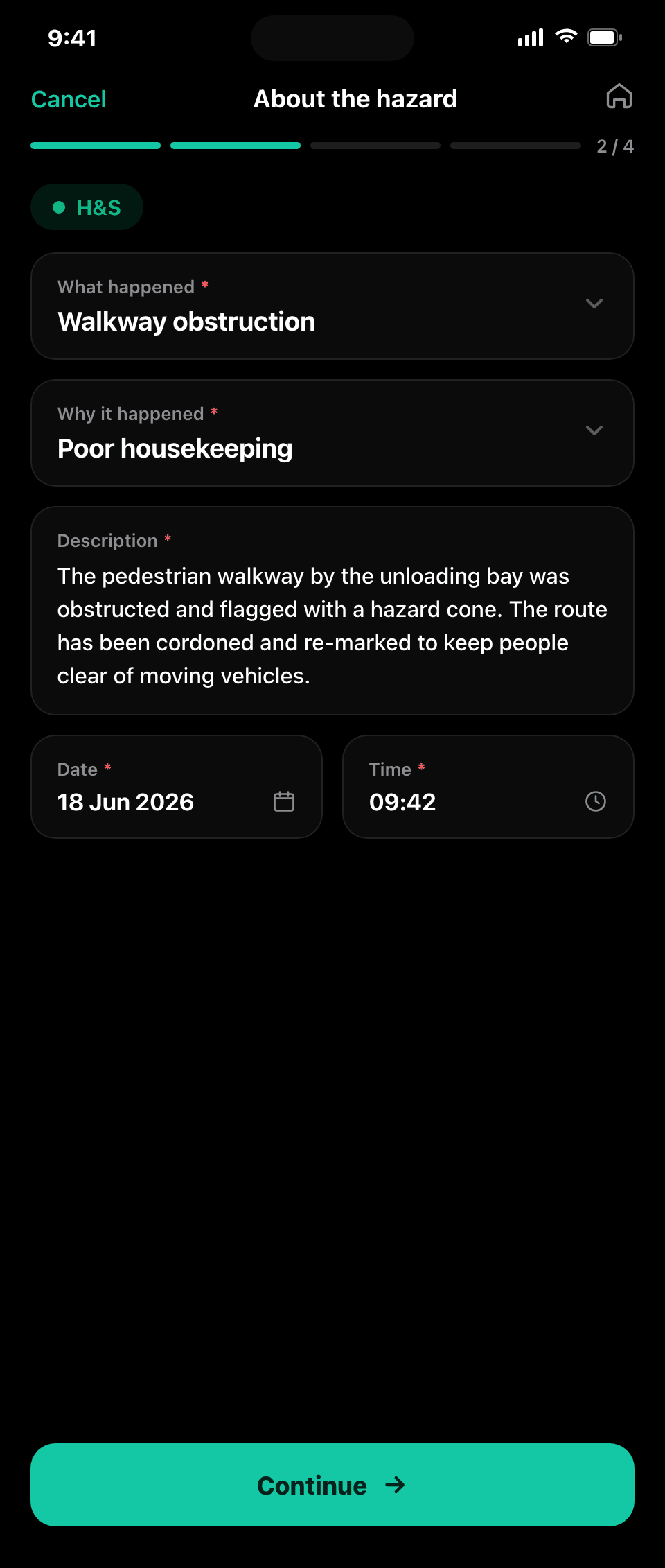
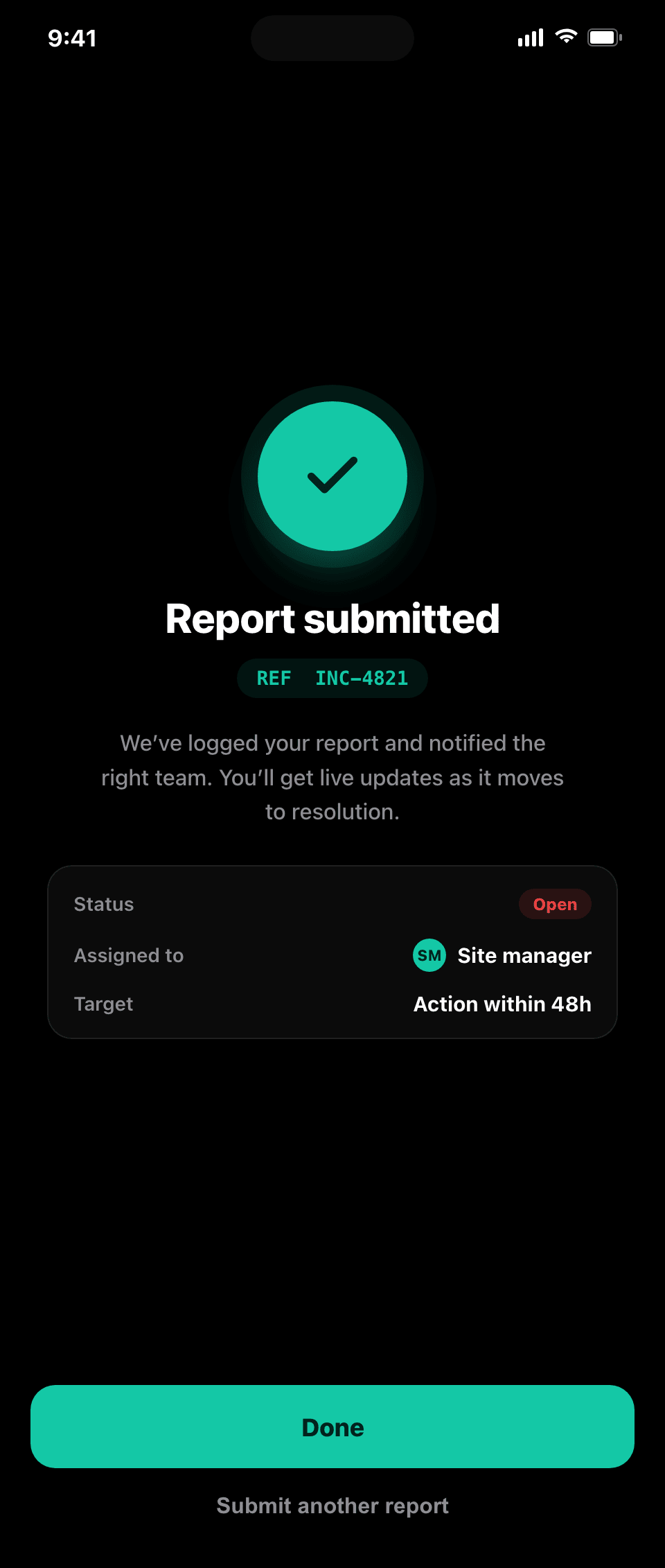
From the home screen they choose what they are reporting, and Logincident guides them through a structured, photo-rich report in seconds, online or off. We set the forms up around the way you work.
- Forms tailored to your processes, ready to use
- Capture offline, reports saved on the device until you submit
- Photo, video, audio and GPS on every report
- Routing, escalation and reminders, configured to your structure
- Full audit trail on every submission
What people report
Six reporting categories, one engine.
Health and safety, quality, claims, environmental, compliance and security are configurations of the same reporting engine rather than separate products. Adding another is configuration, not a rebuild.
Health and safety
Incidents, near misses, hazards and observations, with severity and escalation.
ExploreQuality
Non-conformance, defects and process deviations, evidenced with photographs.
ExploreClaims
Injury, property and third-party events captured at first notification.
ExploreEnvironmental and ESG
Spills, emissions and environmental events, logged where they happen.
ExploreCompliance
Checks, audits and process failures, with the trail that proves them.
ExploreSecurity
Access, theft and antisocial behaviour, reported the moment it is seen.
ExploreRich capture
Go beyond the tick box
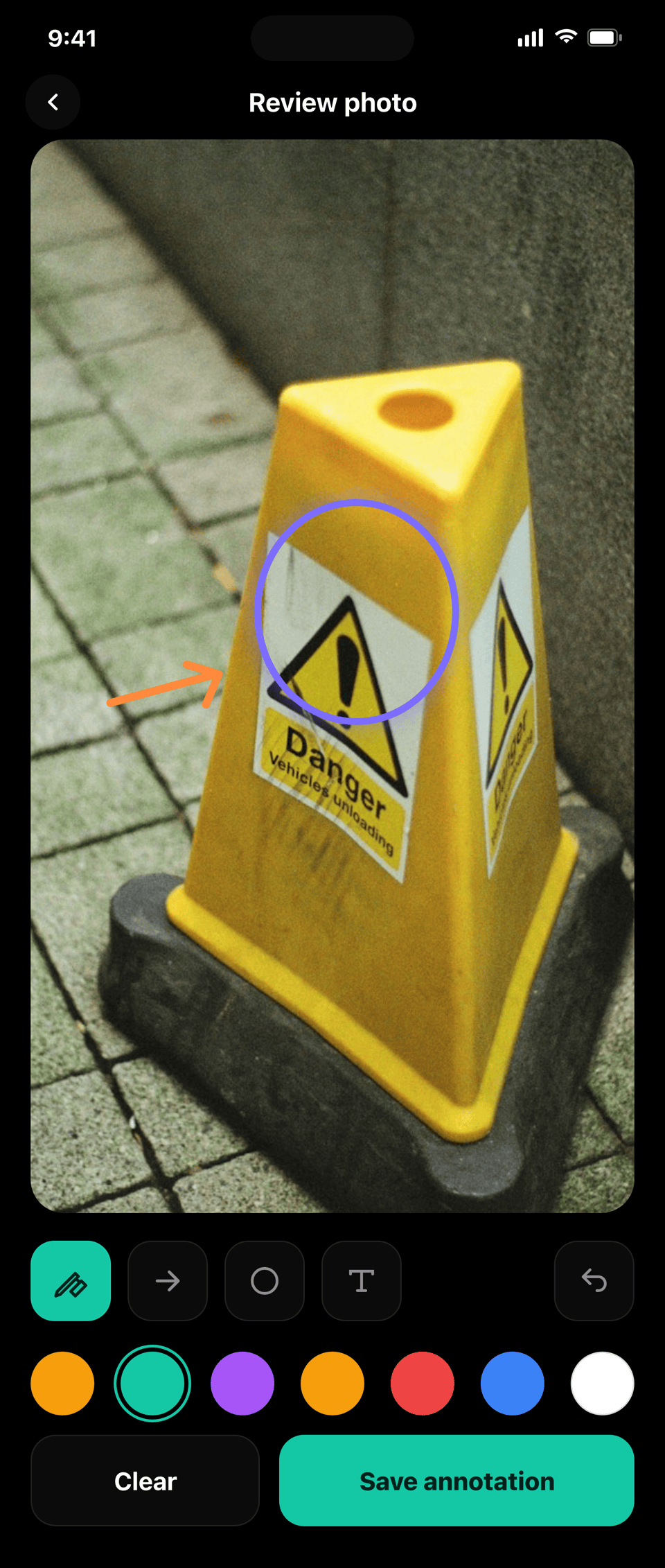
A description tells you something happened. A mark on a photograph tells you where. Reporters annotate the photo on the spot, mark the injury on a body schematic, or mark the damage on a vehicle diagram, and every mark stays on the record.
- Annotate photographs, body schematics and vehicle diagrams
- Video, audio and documents attached to the same record
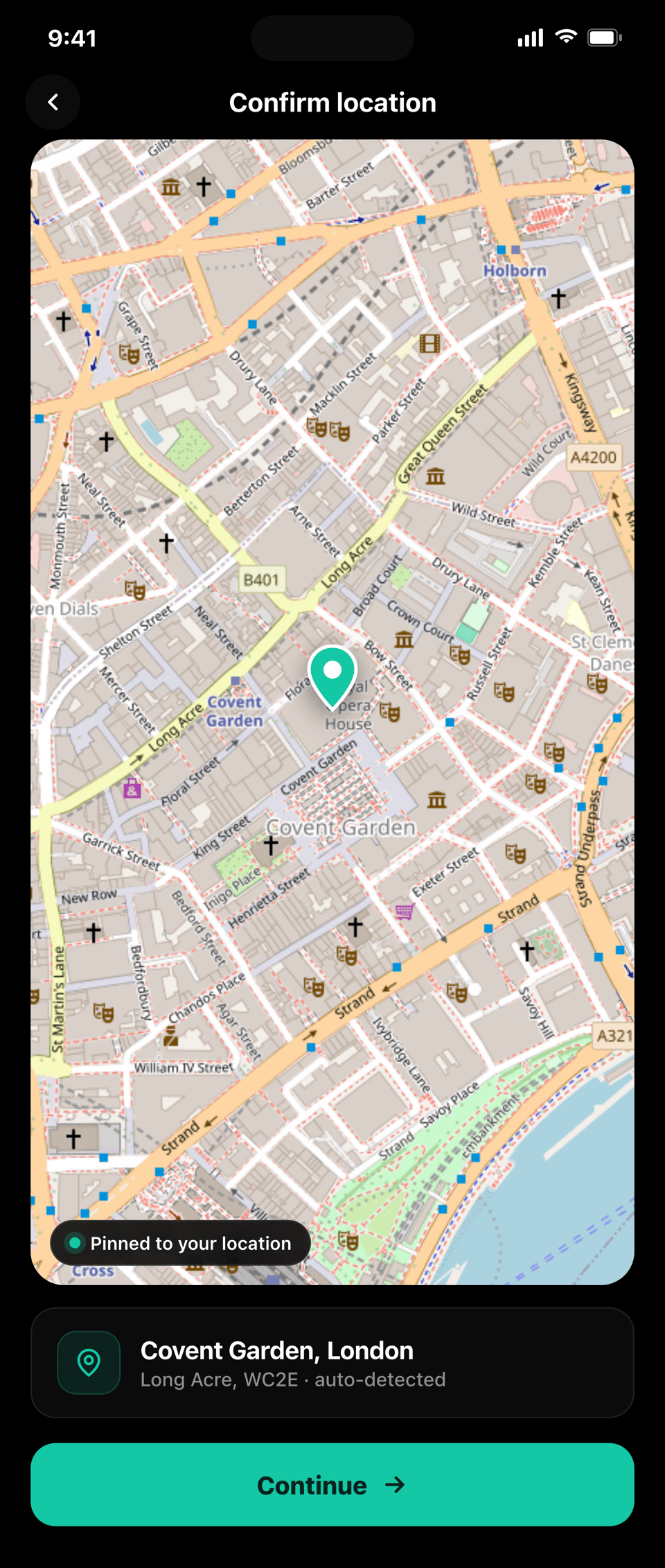
- Date, time and location captured automatically, with what3words
- Drafts saved on the device and resumed later, so nothing is lost
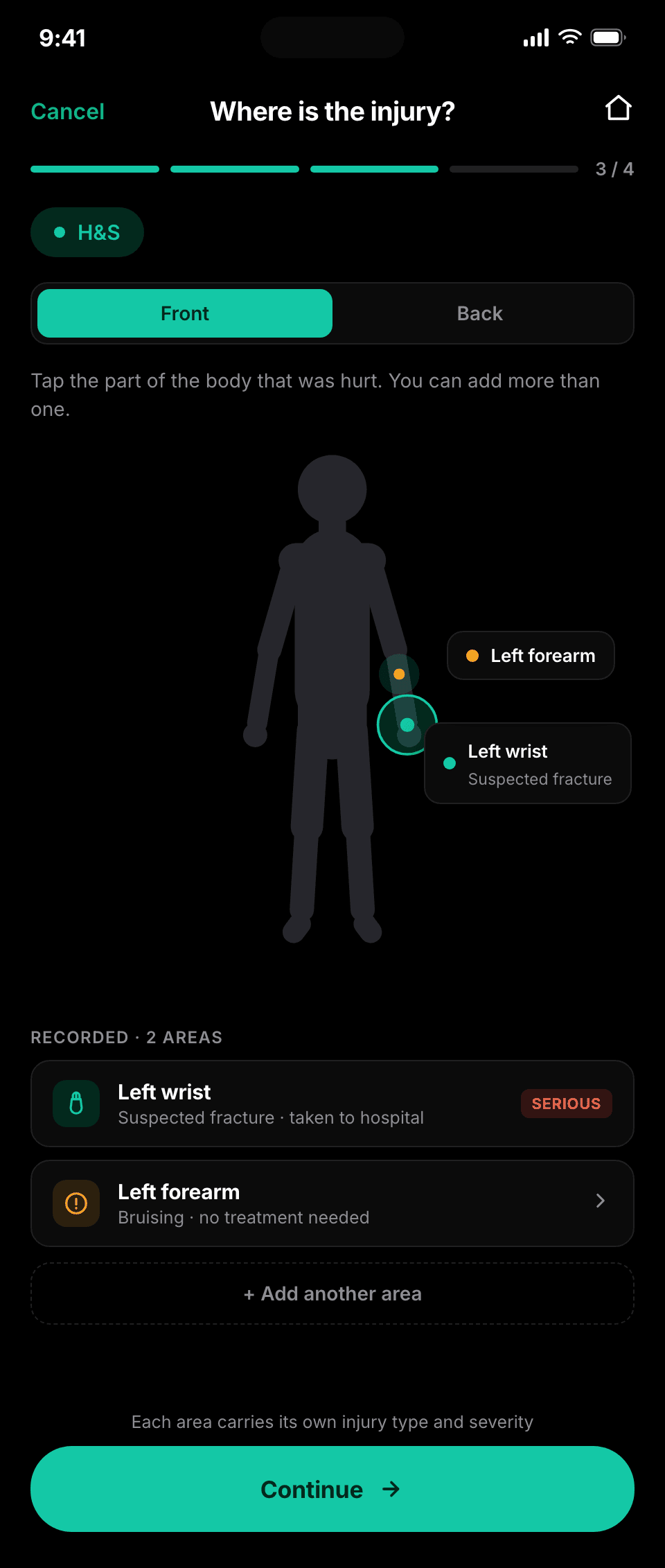

Illustrative screens. Schematics are configured to the report type.
Anyone on site
Contractors and visitors report without an account
A QR code on a gate, a noticeboard or a machine opens a pre-filled form in the browser. No app to install and no login, and the location is already right because the code knows where it is. Third parties can be sent a secure link to close an item out, again without an account.
- QR and short-link reporting, no app and no login
- The code carries the site, so the location is filled in already
- Protected with reCAPTCHA
- Secure links let a third party close an item out

This one works. Scan it with your phone and it opens our contact form, because the code carries the destination with it.
After submit
Everyone who needs to know, knows.
Routed
Notification groups send the report to the right people for that site, division or report type.
Owned
Escalation and reminders keep it moving, configured to your structure rather than to ours.
Evidenced
A full audit trail on every submission, and a branded PDF or Excel export whenever it is asked for.
Configured, not coded
A working starting point on day one, then shaped to fit.
A broad standard set of report types gives most teams somewhere to start. From there we tailor the categories, fields and workflows around how you already work, because a form nobody recognises is a form nobody fills in.
Your categories and fields
Conditional fields and per-screen mandatory rules, so a report asks only what matters for that type.
Your languages
English and French in production today, with the interface following the person doing the reporting.
Your brand
Native iOS and Android apps and the web, with a full white label where a client wants the product to be theirs.
Works with
Part of one connected system.
Frequently asked questions
What can people actually report?
Whatever you need them to. Incidents, near misses and hazards are the common starting point, but the same engine handles quality non-conformance, claims and losses, environmental events, compliance checks and security events. The report types, the fields and the categories are configured to your terminology rather than ours.
Does someone need an app or a login to report?
No. A QR code on a machine, a door or a vehicle, or a printed short link, opens the right form with the location already filled in, and needs no account and no app. Native apps for iOS and Android exist for people who report often and want them, but they are an option rather than a requirement. That matters most for subcontractors, visitors and agency staff, who are usually the least likely to have a company login and often the closest to the problem.
What happens if there is no signal?
The report is captured on the device and queued, then syncs when a connection returns. The time of the event is preserved rather than the time it finally uploaded, which matters when a report is later used as evidence.
Can a report include photographs and annotation?
Yes. Photo, video, audio and document attachment, and annotation directly on a photograph. Reports can also be marked up on body schematics and vehicle diagrams, which is how an injury location or the damage to a vehicle gets recorded precisely rather than described in a sentence.
Related reading
Notes from the working world.
Somebody used to do this for a living
Jordan Nugent on the work that automation leaves behind: the compensating, connecting and cleaning that sits in no plan and on nobody’s job description.
19 Sep 2026 · 11 min read
Read article →
One life event. How many public services?
Residents experience life events, not departmental boundaries. What Tell Us Once and service-design guidance suggest about better public-service handovers.
7 Sep 2026 · 5 min read
Read article →Start reporting in minutes
Talk to us and put fast, structured capture in your team’s hands.
Contact us