
Data Visualisation
See everything, by role, in real time.
Logincident Data Visualisation gives each role a dashboard over reports captured in Logincident and spreadsheets you already hold. Records are matched on a shared reference and filtered by site, division and report type. Every figure opens onto the report behind it, and the view exports as branded PDF or Excel for the board.
The dashboards
One system, a dashboard for every part of it.
Health and safety, quality, environmental, claims, compliance and security all run on the same engine, each with a view built for the people who work in it. Company-specific dashboards, shaped around your own divisions, sites and report types, run in production today.
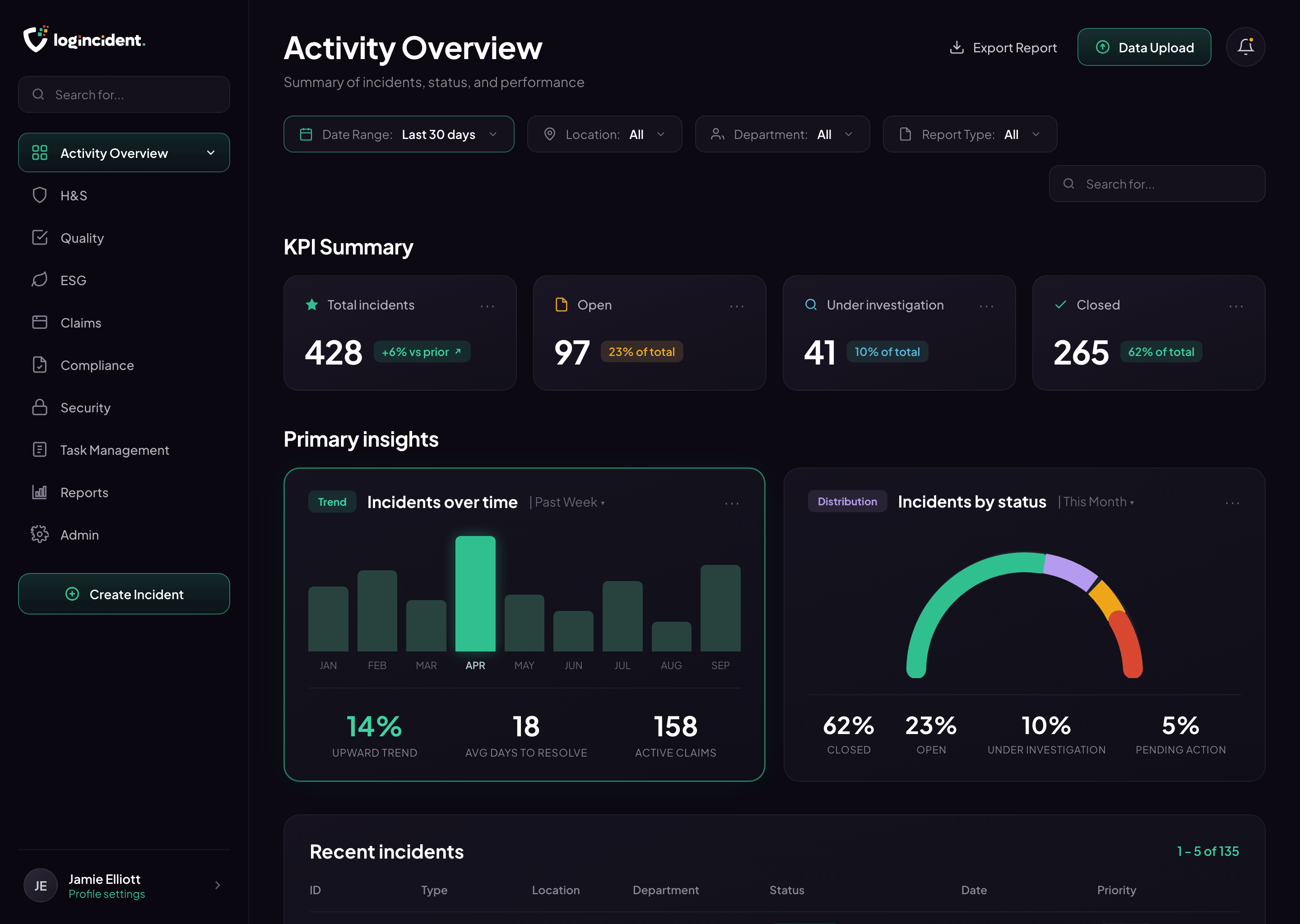
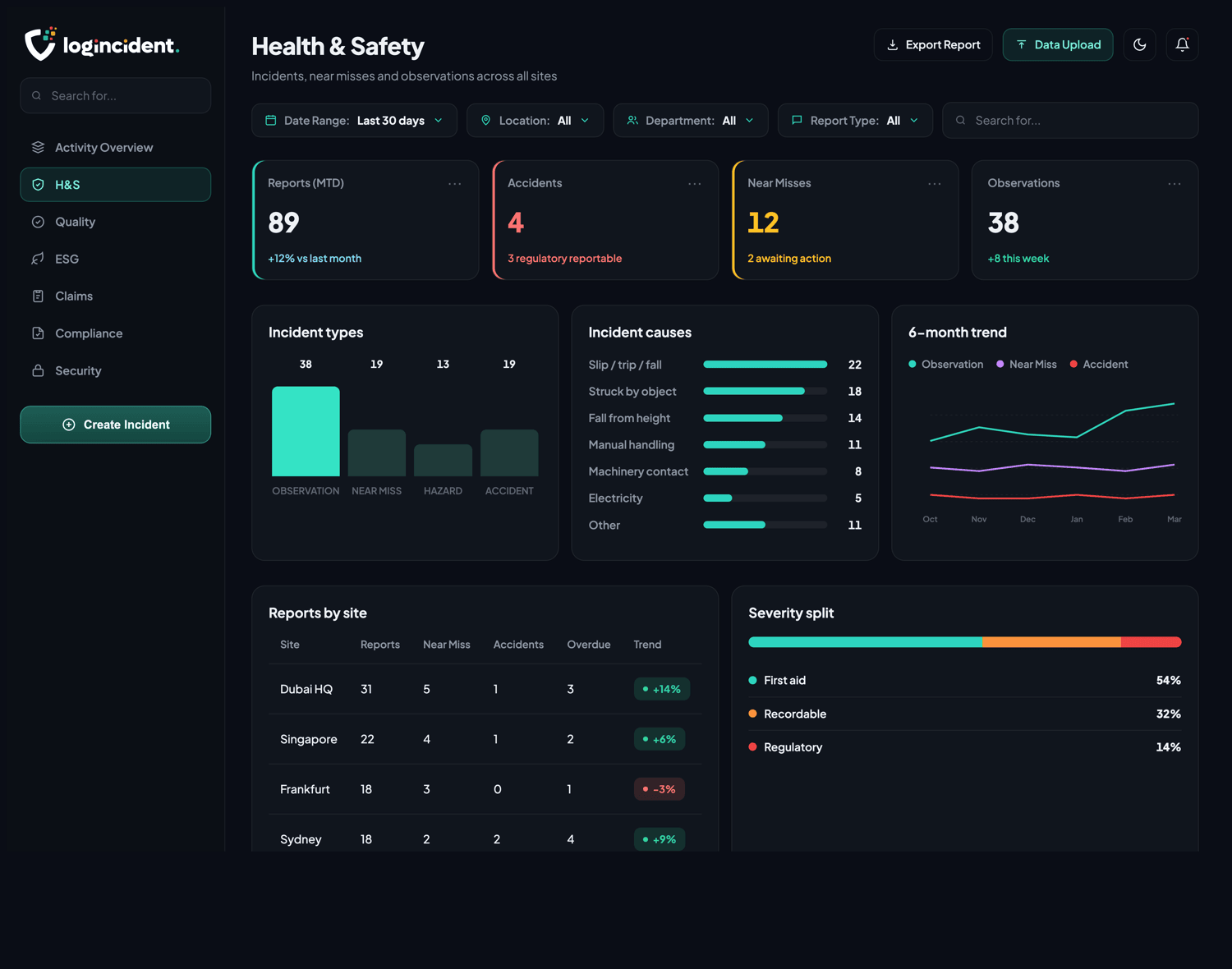
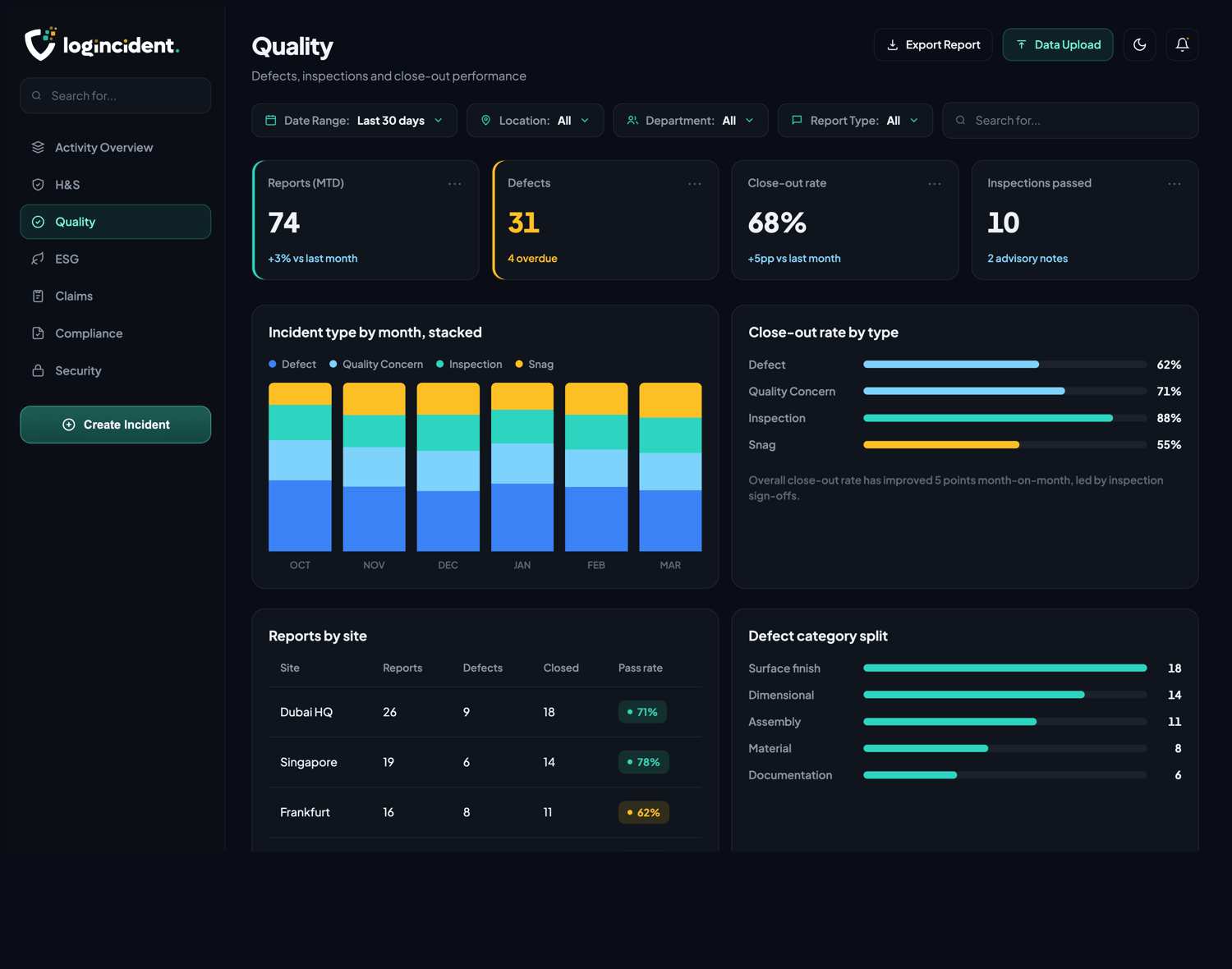
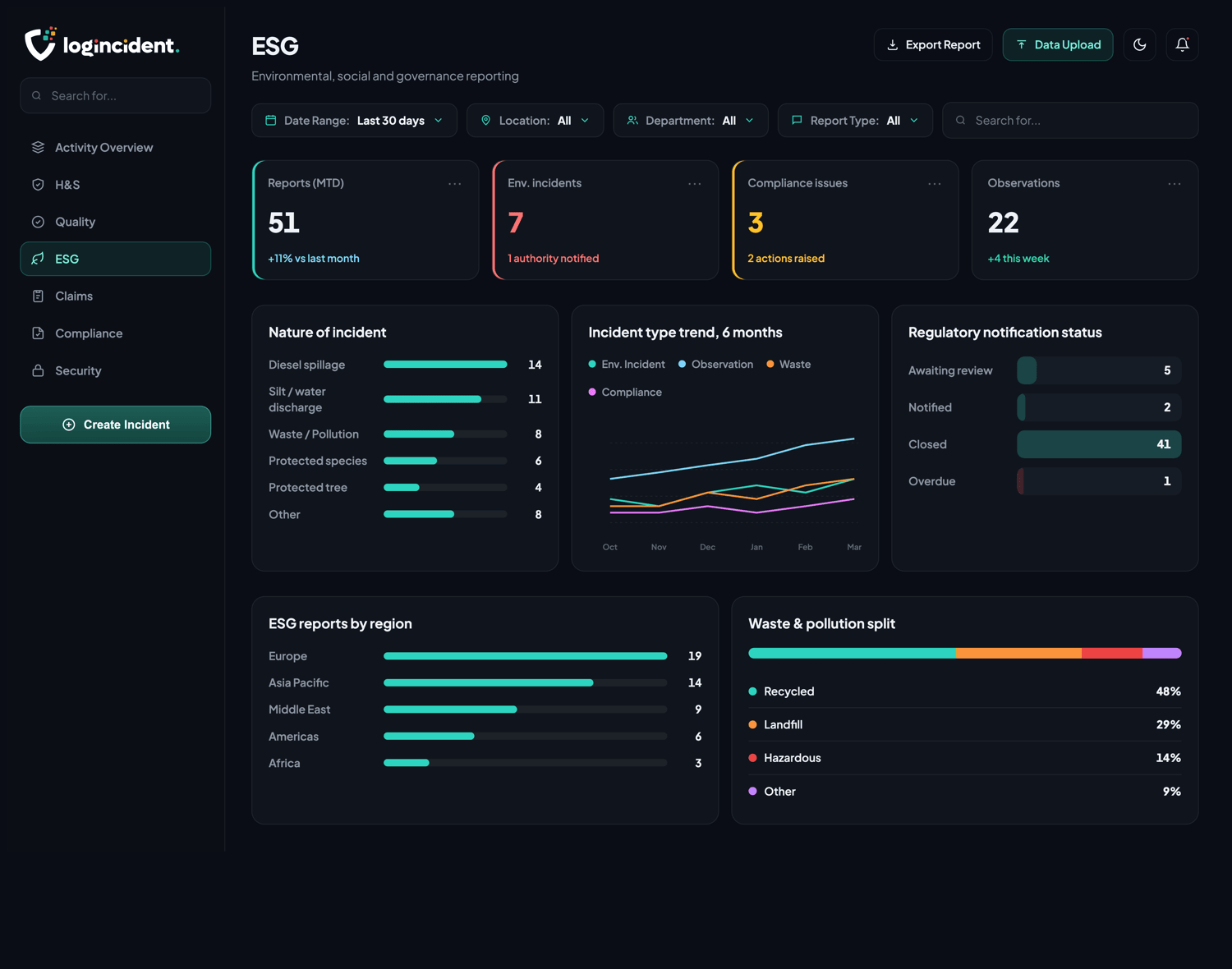

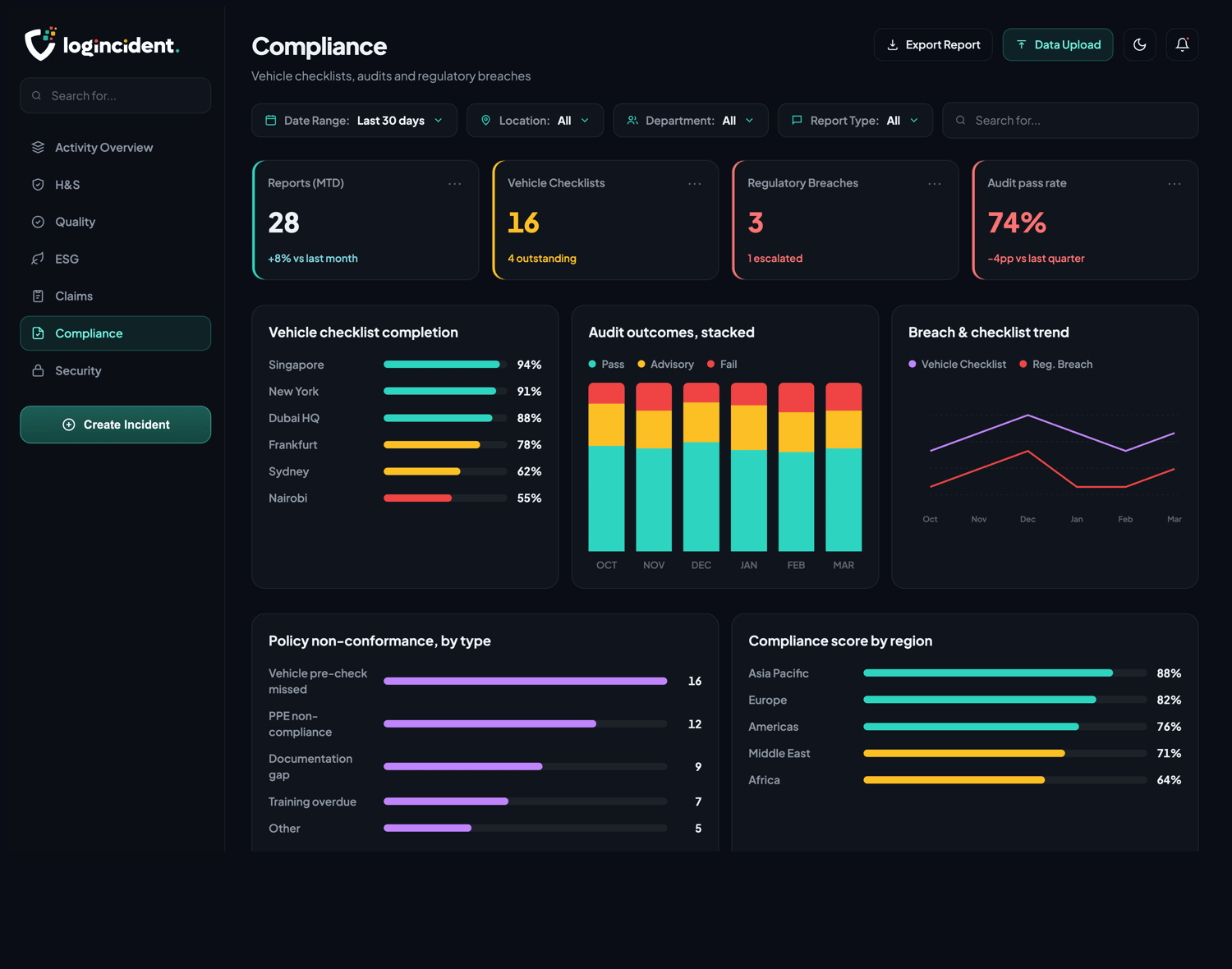
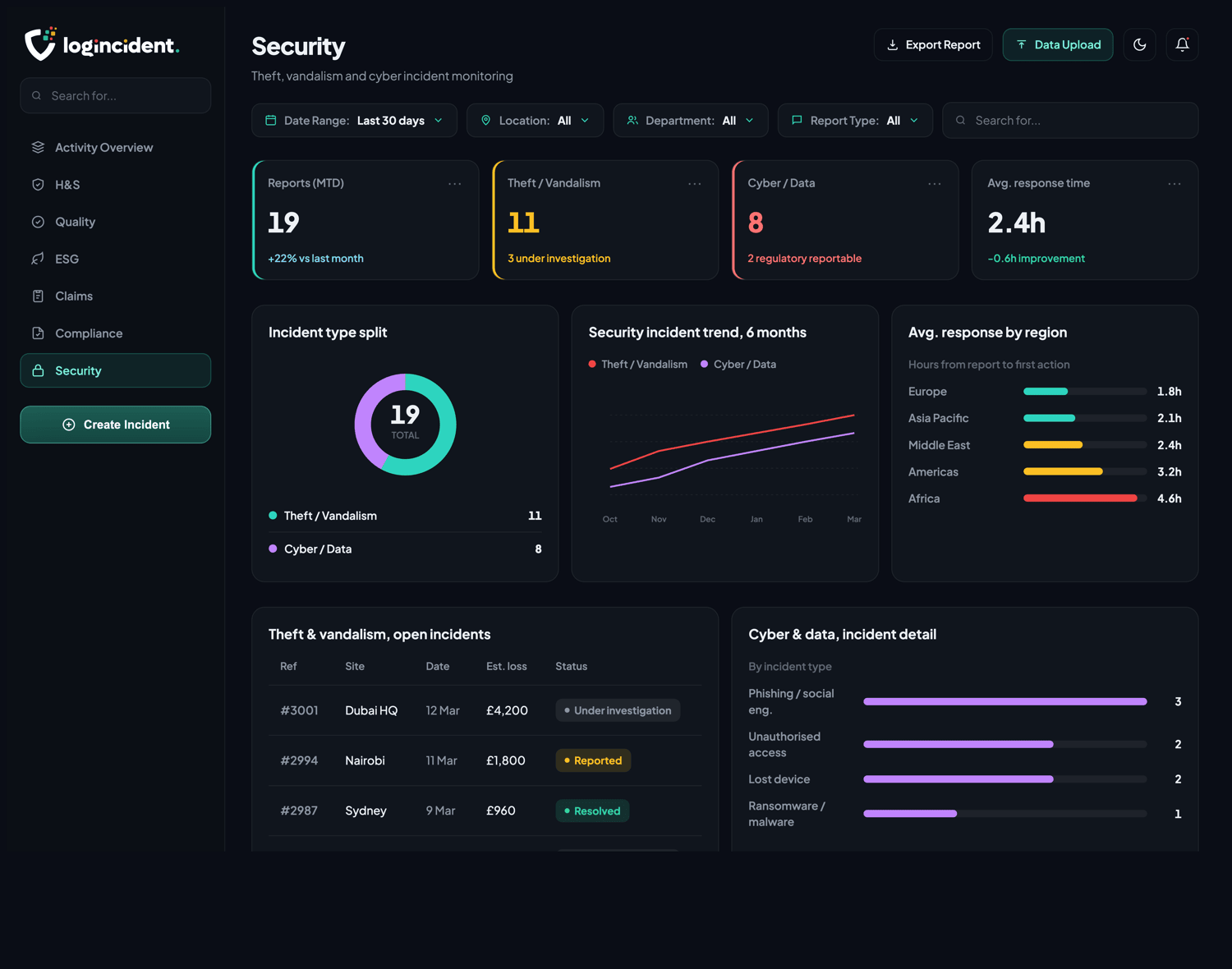
Example data shown. Dashboards are configured to your report types and structure.
How it works
From raw records to a decision.
Bring the data in
Reports captured in Logincident, and spreadsheets exported from systems you already run, land in the same place.
Reconcile and structure
Records from different sources are matched on a single shared reference, de-duplicated, and given one consistent shape.
Visualise by role
Everyone sees the view that belongs to their job, filtered to their sites, divisions and report types.
Act and export
Open the record behind any number, assign what needs doing, and export a branded PDF or Excel or schedule it to arrive on its own.
Bring your own data
Not limited to what Logincident captured
Logincident dashboards also take the data you already hold somewhere else. Upload spreadsheets from insurers, brokers, HR or maintenance systems, reconcile them against your own reports on a single shared reference, and work from one picture instead of three.
- Upload Excel and CSV from any source
- Records matched and de-duplicated on a single shared reference
- Filter by source, period, status and report type
- Role-based access across the combined view
A licensed client runs this in production today, reconciling three separate claims data sources on one shared reference in a single dashboard.
Contact usBy role
The same data, three different jobs.
A dashboard that shows everyone everything gets used by nobody. Each role gets its own.
Site and team leads
What is open on my site, what is overdue, and what needs me today. Filtered to their location, with the record one click away.
Division and region
Where the same issue keeps appearing across locations, which sites are moving in the right direction, and which are not.
Executive and board
Volume, status and trend for the whole organisation, in a branded export that is ready the morning it is asked for.
Drill down
Every number opens onto the record behind it.
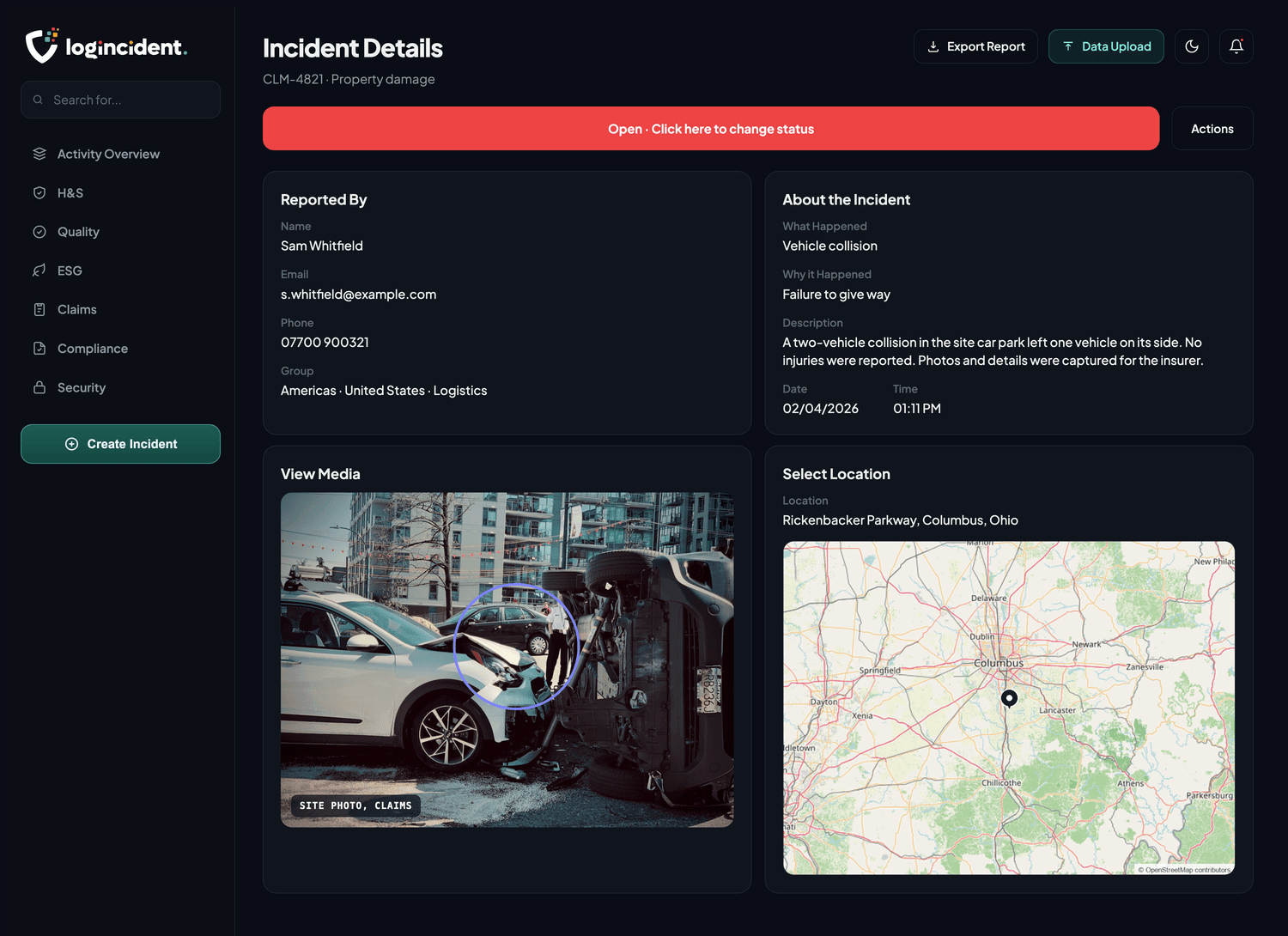
A bar on a chart is a set of real reports. One click goes from the total to the submission itself, with everything the person on site captured at the time still attached to it.
What happened, and why
The reporter’s own account, against the classification fields your team defined.
The evidence attached
Photographs, annotations, audio and documents, held on the record rather than in an inbox.
Where it happened
Location taken at the moment of reporting, not typed in from memory afterwards.
What state it is in
Status, owner and history, so nothing closes without a trail of who did what.
Multi-site and multi-country
One view across every location
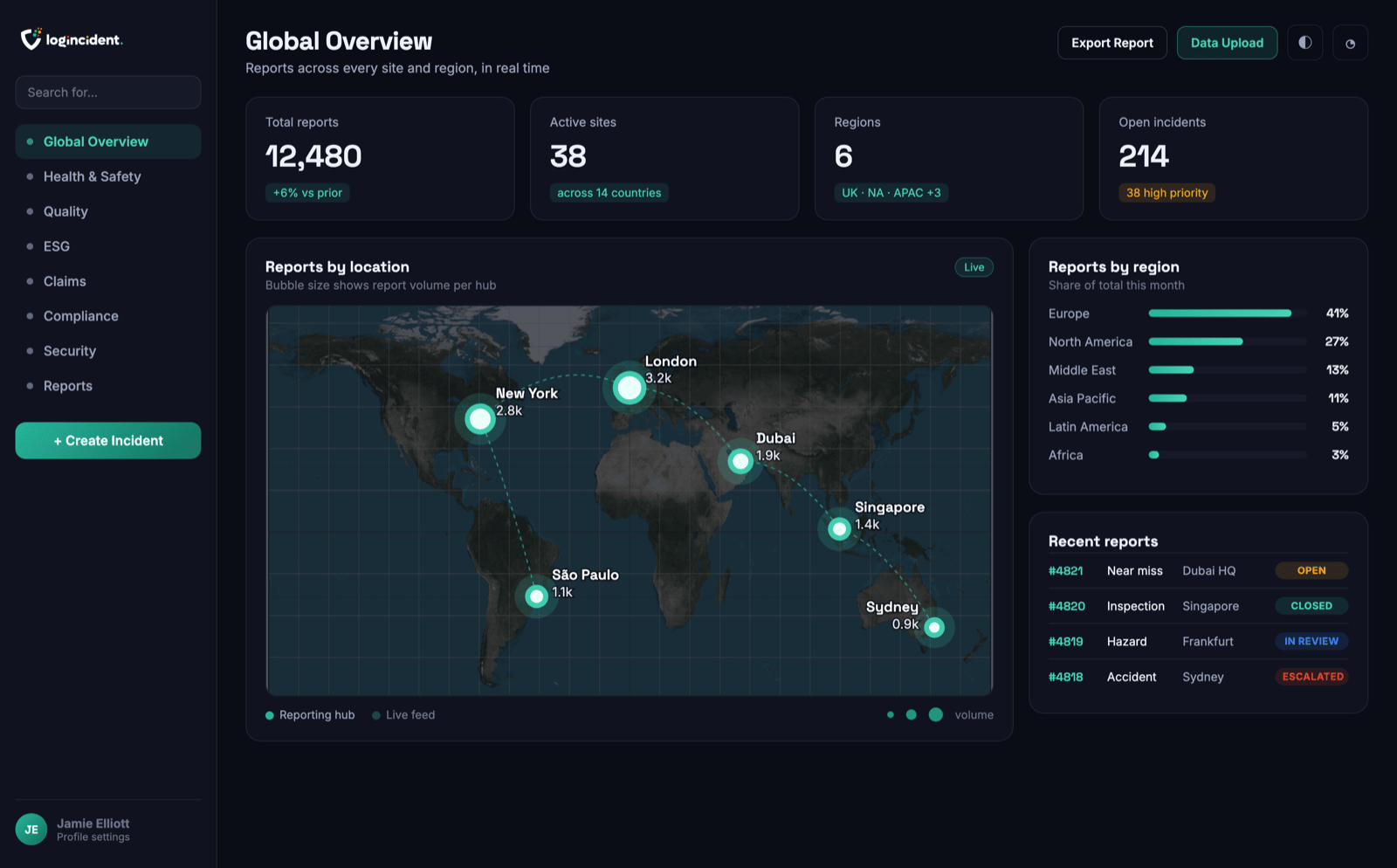
Sites, divisions and countries on a single map, sized by volume, so the global picture is one screen rather than a monthly pack assembled by hand. The platform runs in English and French today.
- Every site and division in one view
- Filter by location, department, report type and date range
- English and French interfaces in production
Works with
Part of one connected system.
Frequently asked questions
Can it show data we did not capture in Logincident?
Yes. It reads data captured elsewhere as well as data captured here, which is the point for anyone trying to see one picture across sources that currently sit in different systems and spreadsheets.
Can we get from a number on a chart to the report behind it?
Yes. Any figure drills down to the underlying records, so a spike on a chart is one click from the reports that caused it. A dashboard nobody can interrogate tends to be argued with rather than acted on.
Who can see what?
Dashboards are role based, so a site manager, a divisional lead and a board member can look at the same system and see the view that belongs to them.
Can we get the data out?
Yes, as Excel and as PDF. Reporting that cannot leave the system is a problem the first time somebody asks for a board pack or an insurer asks for evidence.
Related reading
Notes from the working world.

Your worst-performing site might be your busiest
One depot has five times as much rework as another. Add workload, then job mix, and the apparent performance story changes twice.
7 Sep 2026 · 6 min read
Read article →
Your incident reports doubled. Is that bad news?
Incident reports have doubled. Before the dashboard turns red, ask whether the work has changed, the reporting has changed, or both.
7 Sep 2026 · 6 min read
Read article →Put your data to work
Talk to us and turn your reports into dashboards your leadership will use.
Contact us