
From first report to resolution, in one flow.
Logincident makes incident management effortless, so every report is triaged, assigned, escalated and closed without anything slipping through the gaps.
Report to closure, one connected flow.
Reports
Incidents of every type captured in seconds, ready to act on.
Triage
Severity, urgency and category assessed so the right cases rise to the top.
Assignments
Clear owners and due dates so every action has a name against it.
Closure
Actions tracked to completion with a full, timestamped record.
Nothing falls through the cracks
Every report is triaged, assigned and escalated by severity, so the right people act at the right time and every action is tracked to closure.
- Severity-based routing and escalation, configured to your team
- Clear ownership and due dates on every action
- Actions tracked to closure with a full audit trail
- Bottlenecks and overdue cases surfaced in your dashboards
Auto-escalated to the site manager and duty lead. Two actions assigned, each with a clear owner.
The right people, the moment it matters.
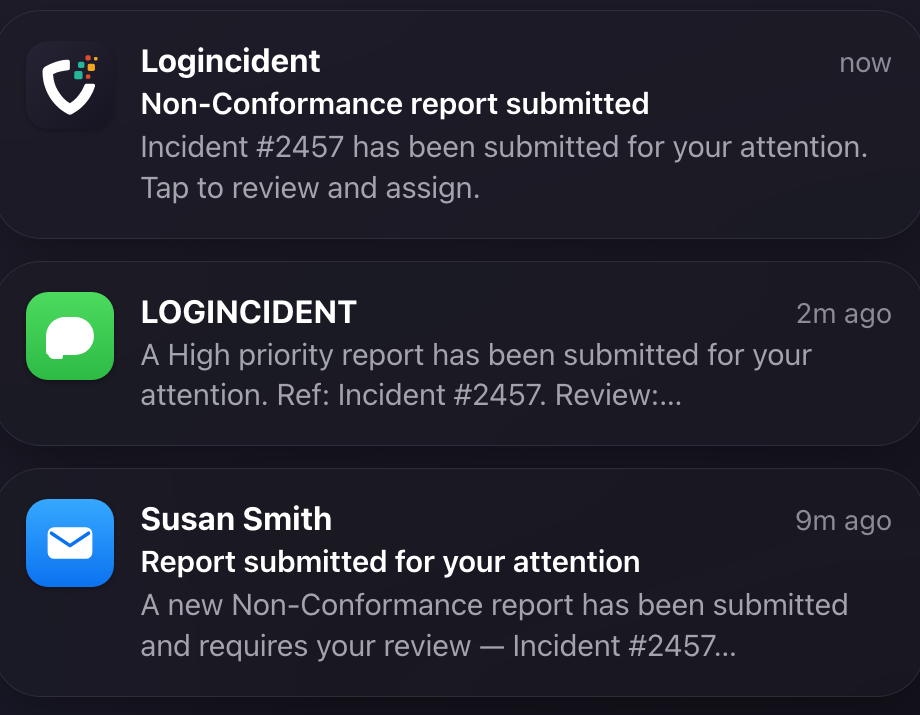
Three steps from report to resolution.
Capture
Anyone reports in seconds, on mobile or by QR code, even offline.
Triage & act
Automatic escalation, ownership and actions keep every report moving to resolution.
Close & learn
Dashboards surface the patterns, so you resolve faster every time.
Part of one connected system.
Related reading
Notes from the working world.

The last mile has a kerbside problem
A delivery can arrive on time and still have nowhere to stop. Why UK last-mile logistics needs receivers, streets and vehicle choices to work together.
7 Sep 2026 · 5 min read
Read article →
The truck is on time. The load isn't ready.
Truck driver detention is more than a disputed fee. A look at loading-dock delays, realistic appointments and responsibility across US freight operations.
7 Sep 2026 · 5 min read
Read article →Frequently asked questions
What happens after a report is submitted?
It is routed to whoever needs to act, tracked while it is open, and closed with a record of what was done. The report is the start of the process rather than the end of it, which is the difference between a reporting system and a filing cabinet.
Who decides where a report goes?
You do, in configuration. Routing rules are set against the report type, the location, the severity or any other field you capture, so an event reaches the right person without somebody having to forward it.
How do we know something was actually closed?
Because closure is a recorded action with an owner and a time, not a status somebody changed quietly. That is also what makes the difference visible later, when you want to show what changed as a result.
Make every incident count.
Tell us what your team reports and we will show you how it works in Logincident.
Contact us